Add a supply item
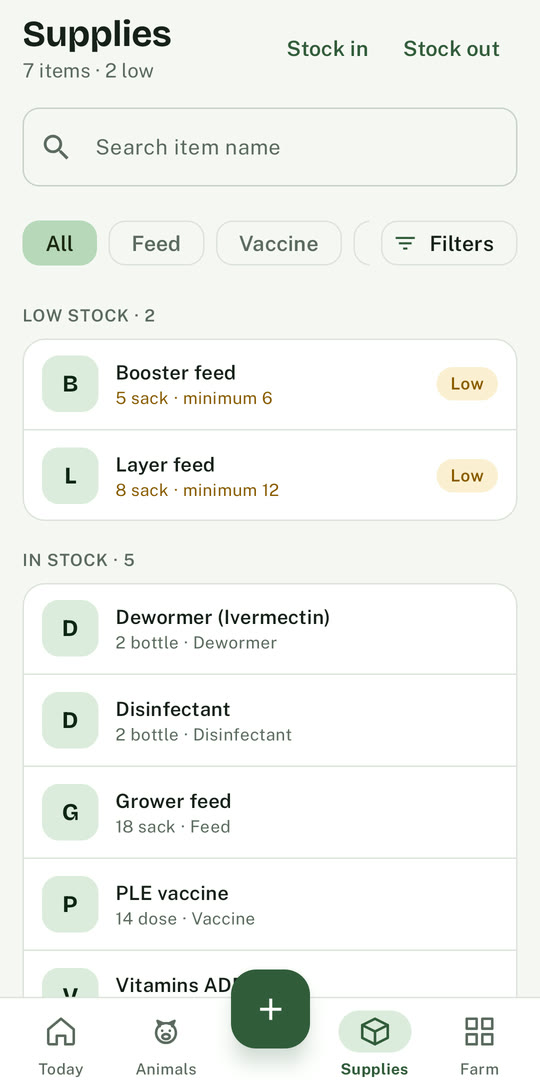
A supply item is a kind of feed, vaccine or medicine you keep on hand. Add it once, then record stock in and stock out.
Steps
Tap the big green + in the bottom bar. Under New on the farm, choose Supply item.
Enter the Item name, for example Booster feed.
Choose the Category: Feed, Vaccine, Medicine, Dewormer, Vitamins, Vaccine paraphernalia, Disinfectant, Tools and maintenance, Fertilizer or Other.
Choose the Unit: kg, pcs, bottle, vial, sachet, sack, box, liter or ml.
If you want a warning when it runs low, enter the Minimum stock. See Low-stock warnings.
If you already have some, enter Stock on hand now. It is saved as opening stock.
Tap Add item.
FarmTrack then opens the Supplies list when you started from the green +.
Change an item later
Open the item from the Supplies tab and tap the pencil at the top right (Edit item). You can rename it and change its minimum. To change how much is on hand, use Stock in or Stock out, so the history stays accurate.