Find your way around
All
Checked on app version 1.7
The bottom bar has four places and one + button. Here is what each one is for.
The bottom bar
- Today: what needs doing now.
- Animals: your animals and batches.
- + (Add): the big green button. It opens a sheet with everything you can add (see below).
- Supplies: feed, vaccines and other stock.
- Farm: everything else, as a list.
The + button
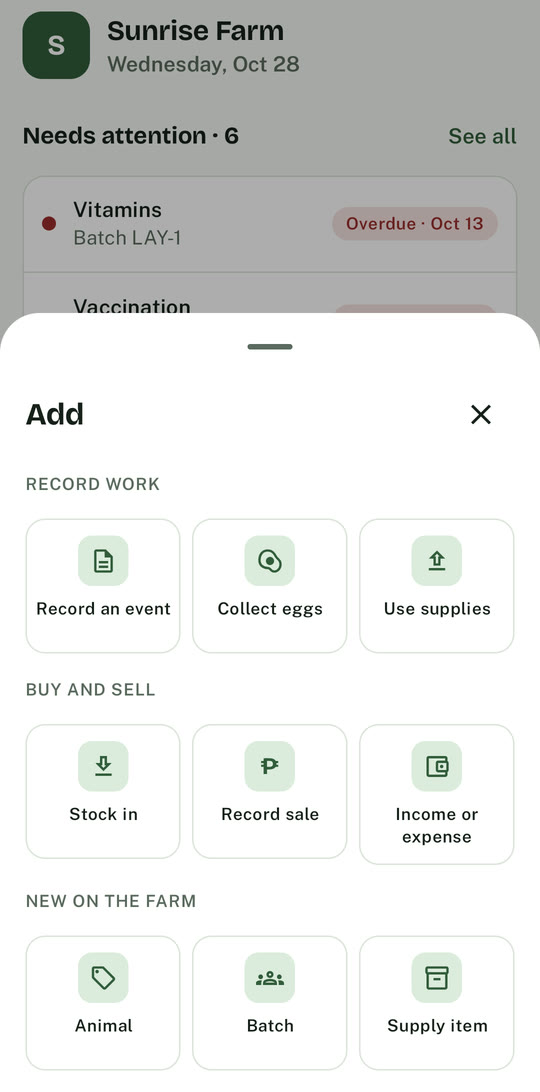
The sheet groups what you can add:
- Record work: Record an event, Collect eggs and Use supplies.
- Buy and sell: Stock in, Record sale and Income or expense.
- New on the farm: Animal, Batch and Supply item.
The Farm tab
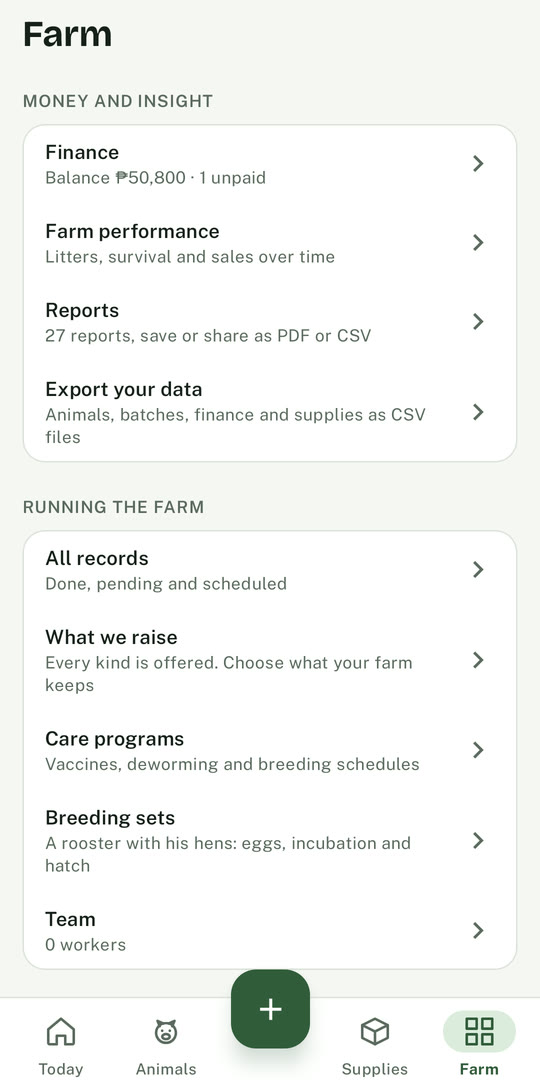
Money and insight (owners)
- Finance: your balance, income and expenses.
- Farm performance: litters, survival and sales over time.
- Reports: reports you can save or share as PDF or CSV.
- Export your data: animals, batches, finance and supplies as CSV files.
Running the farm
- All records: done, pending and scheduled.
- What we raise: choose which kinds of animals your farm keeps.
- Care programs: vaccine, deworming and breeding schedules.
- Breeding sets: a rooster with his hens: eggs, incubation and hatch.
- Team: the workers on your farm.
Help (everyone)
- How to use FarmTrack: opens this manual.
- Share your thoughts: tell us what you like, an idea, or a problem, with a star rating if you want. It goes straight to the FarmTrack team.
- Welcome tour: the short introduction shown the first time you open the app.
Set up your care programs
On a new farm, Today shows a card called Set up your care programs. Tap Set up and pick the animals you keep, and FarmTrack schedules their vaccines, deworming and breeding for you. Tap Not now to do it later.