Sign in and forgot password
Sign in with your email and password or with your Google account, set a new password if you were given a temporary one, or get a link if you forgot it.
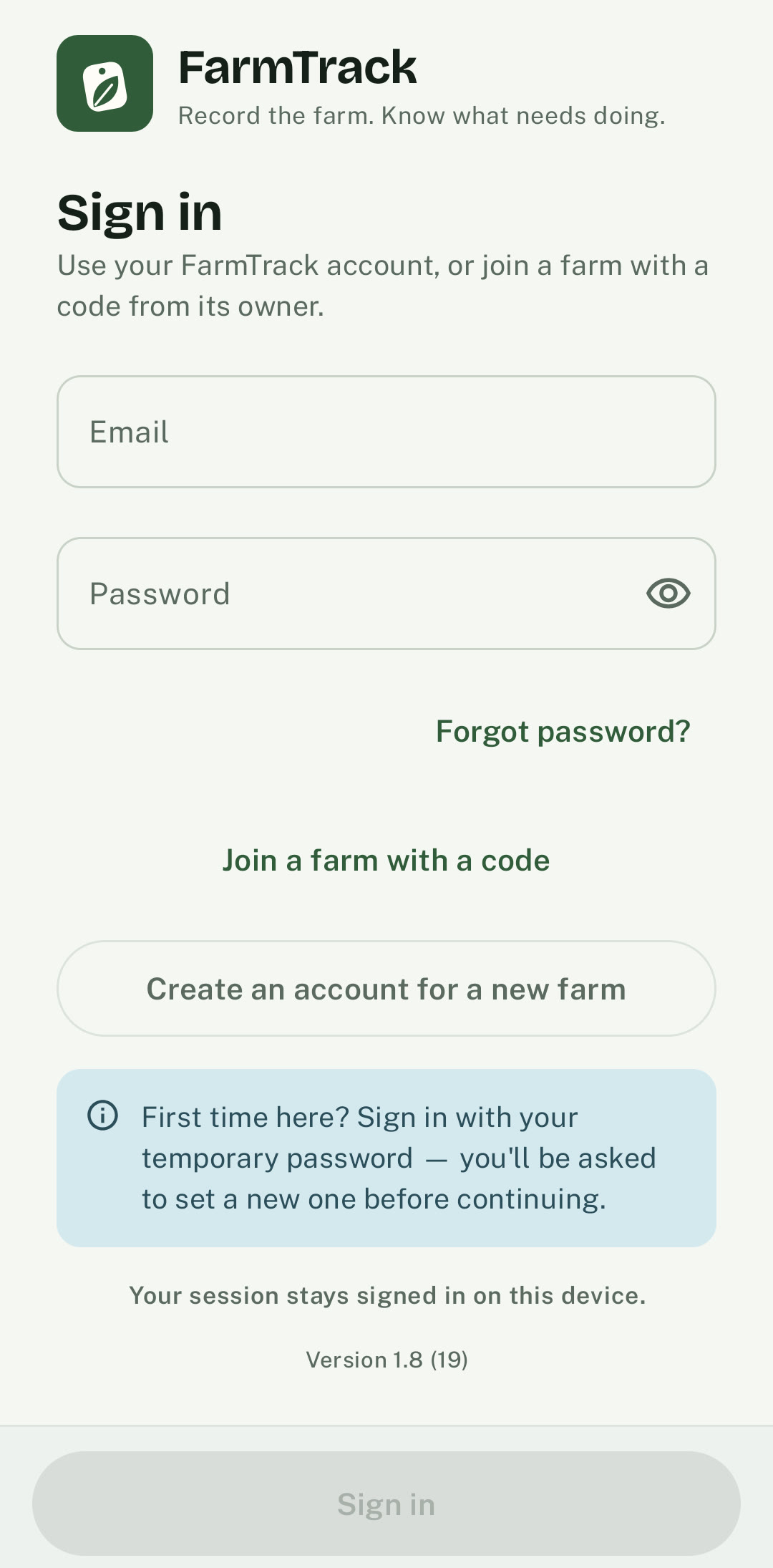
Sign in
Open FarmTrack.
Enter your Email and Password. Tap the eye icon to show or hide the password as you type.
Tap Sign in. It stays grey until both boxes are filled in.
Your session stays signed in on this device, so you do not have to sign in every time.
The sign-in screen also has Read the user manual, which opens this manual in your browser.
Sign in with Google
If your FarmTrack account uses a Google account, tap Continue with Google and choose the account. If you used the same email to make a FarmTrack account with a password, Google opens that same account and the same farm.
If the Google account has no farm yet, FarmTrack says so. Make one with Create your farm or join one with a code, and tap Use my Google account instead there.
The welcome tour
The first time you open FarmTrack on a phone, a short tour of four screens shows what the app is for. Tap Next, or Skip to go straight to sign-in. To see it again, open the Farm tab and tap Welcome tour under Help.
If you were given a temporary password
Sign in with it. FarmTrack asks you to set a new one before you continue. This happens only once.
Enter the Temporary password, then your New password, and confirm it.
Check that the new password has at least 8 characters, includes a number, is different from the temporary one, and matches in both boxes.
Tap Update password & continue.
If you forgot your password
Type your email in the sign-in screen.
Tap Forgot password?
FarmTrack says that if the email has an account, a message with a link to choose a new password is on its way. Open it and choose a new password.
If nothing arrives, check your spam folder and that you typed the email correctly. If you tap Forgot password? with the email box empty, a red line appears: "Type your email above, then tap Forgot password."
If you still cannot sign in, see Can't sign in.